REASONS

Why Use Handy Compare Products?

Explore the comprehensive list of features and compelling reasons to choose Handy Compare Products for your WooCommerce store.

01

One-Click Product Comparison

Let customers add products to the comparison list with a single click, making it effortless to compare options side by side.

02

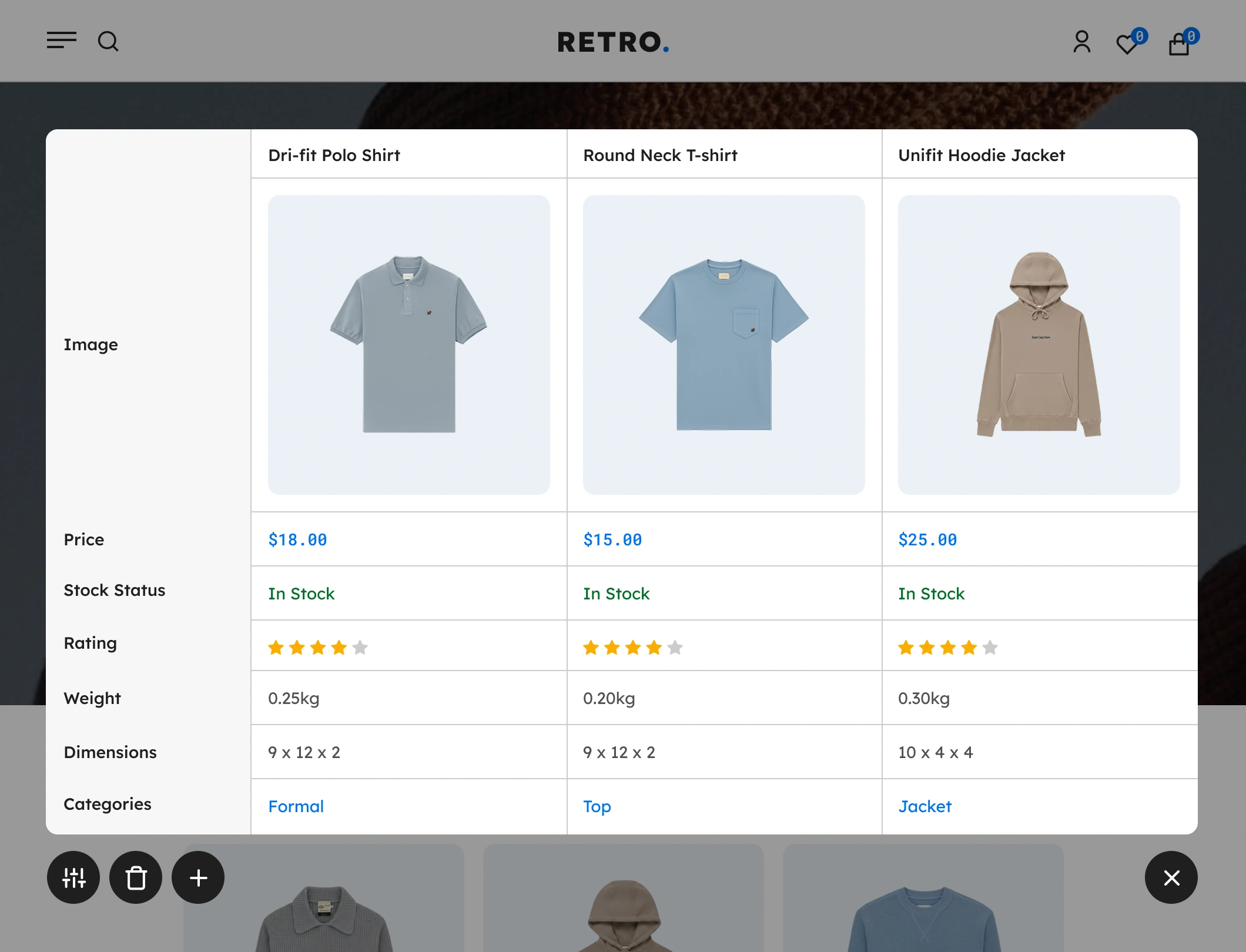
Interactive Comparison Table

Displays product features in a clean, structured table so shoppers can instantly see differences in details, pricing, and attributes.

03

Quick Access Compare Bar

Enable a subtle, floating compare bar that shows items added to compare and stays visible as customers browse encouraging them to complete the comparison.

04

Direct Add-to-Cart Buttons

Allow customers to add products directly to their cart from the comparison table, speeding up the checkout process and increasing conversion rates.

05

Responsive Comparison Table

The comparison interface automatically adjusts to all screen sizes, giving mobile and tablet users the same clarity and smooth experience as desktop shoppers.

06

Customizable Comparison Fields

Choose which product attributes appear in the comparison table such as price, dimensions, stock, ratings, or custom features to highlight what matters most.

07

Shortcode & Widget Support

Display compare buttons or comparison tables anywhere on your site using simple shortcodes and widgets, giving you flexible placement without coding.

08

AJAX-Powered Interactions

All actions adding, removing, and loading comparisons happen instantly without refreshing the page, keeping the experience smooth, fast, and frustration free.

09

Browser Storage Support

Comparison lists are saved using local browser storage, ensuring shoppers don’t lose their selected items even if they refresh the page or browse other products.

FEATURES

Core Features & Functionalities

Discover the complete set of core features and powerful functionalities of Handy Compare Products, designed to enhance your WooCommerce stores.

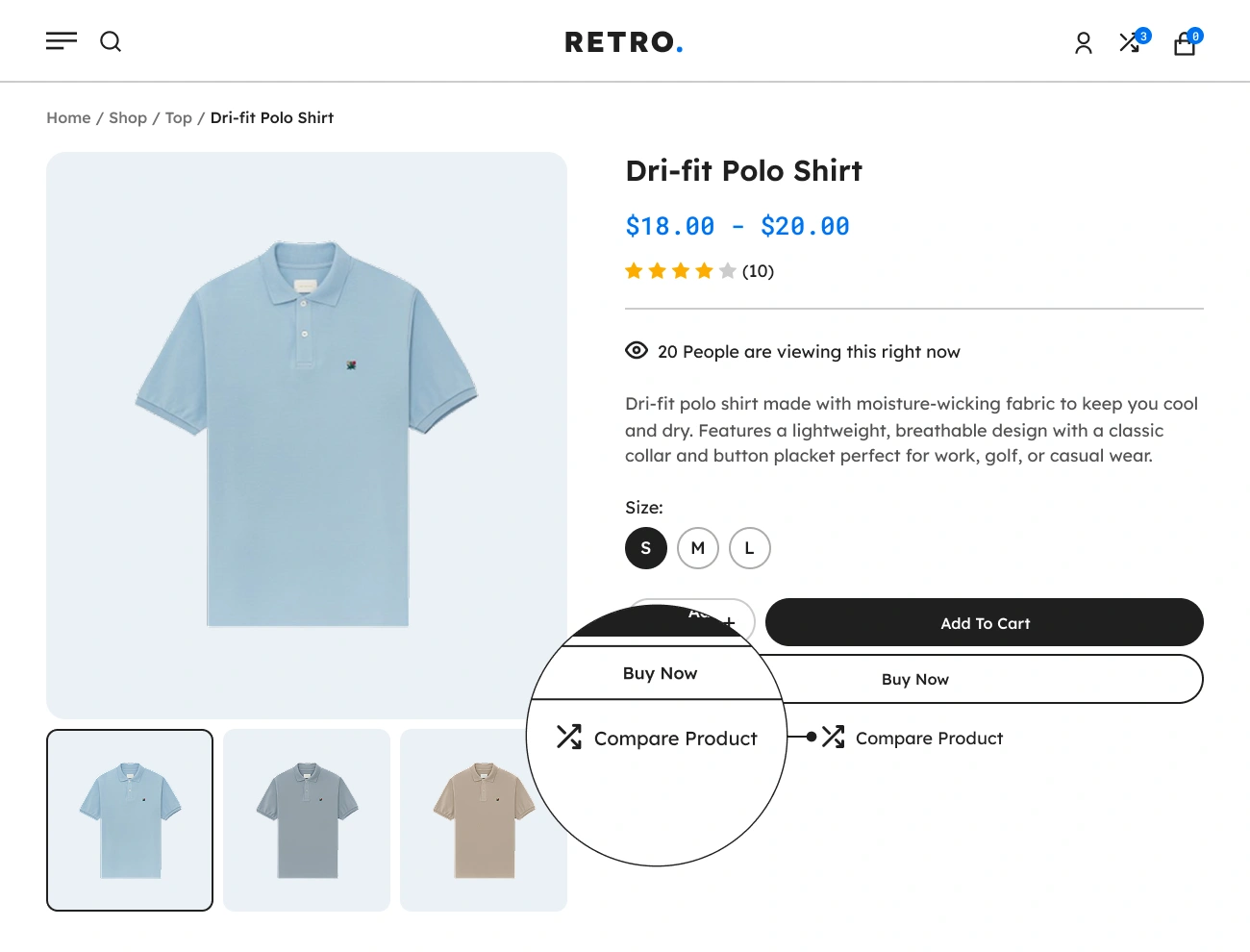
Handy Compare Products For WooCommerce Supports Compare Button In Product Single Page

Supports Compare Button In Product Single Page

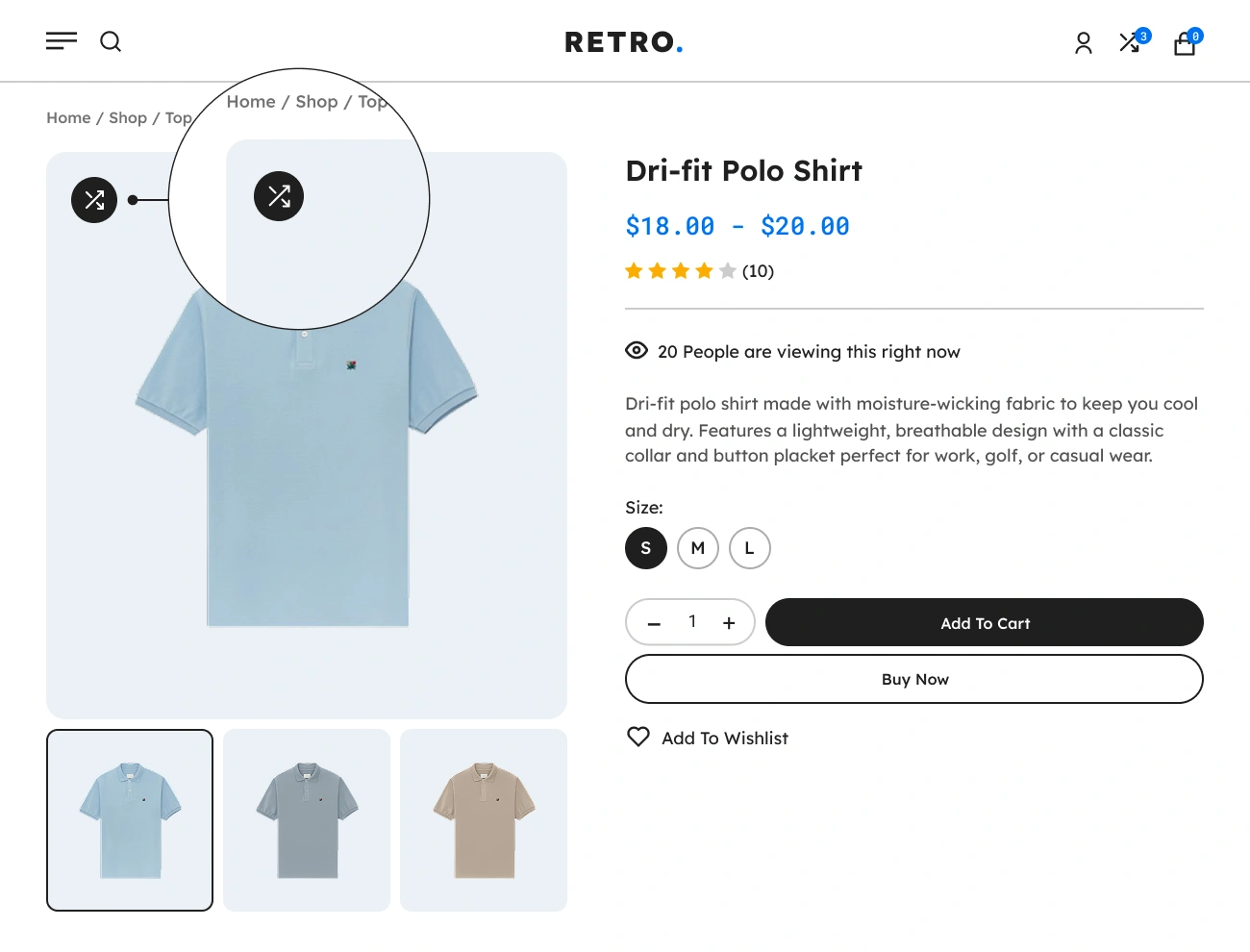
One of the most important features of Handy Compare Products for WooCommerce is adding a “Compare” button to the product on the product single page. This will allow website visitors to easily add a certain product to the comparison table by just clicking a single button. This will help your website visitors or customers decide between many similar products visually.
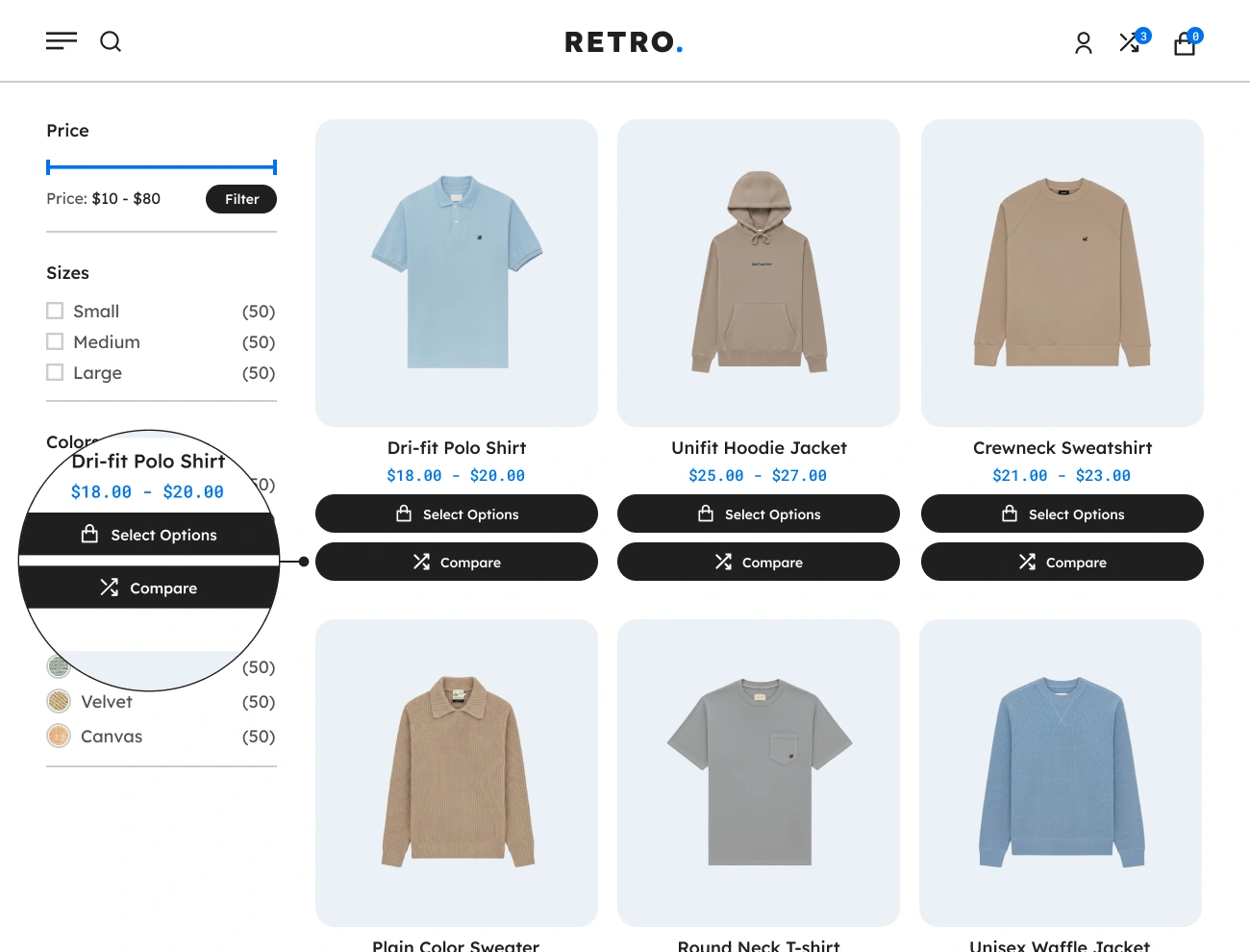
Handy Compare Products For WooCommerce Supports Compare Button In Shop Page

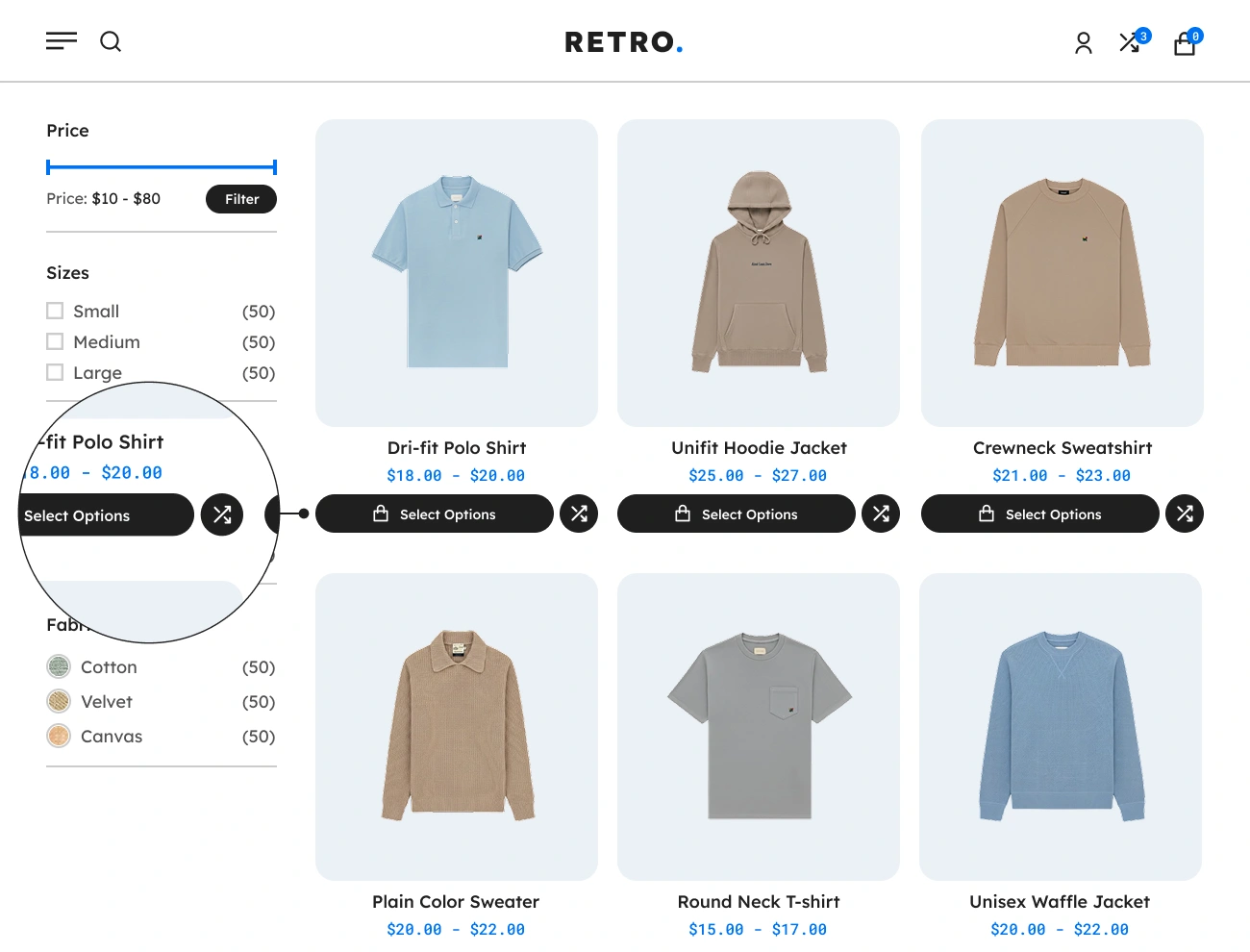
Supports Compare Button In Shop Page

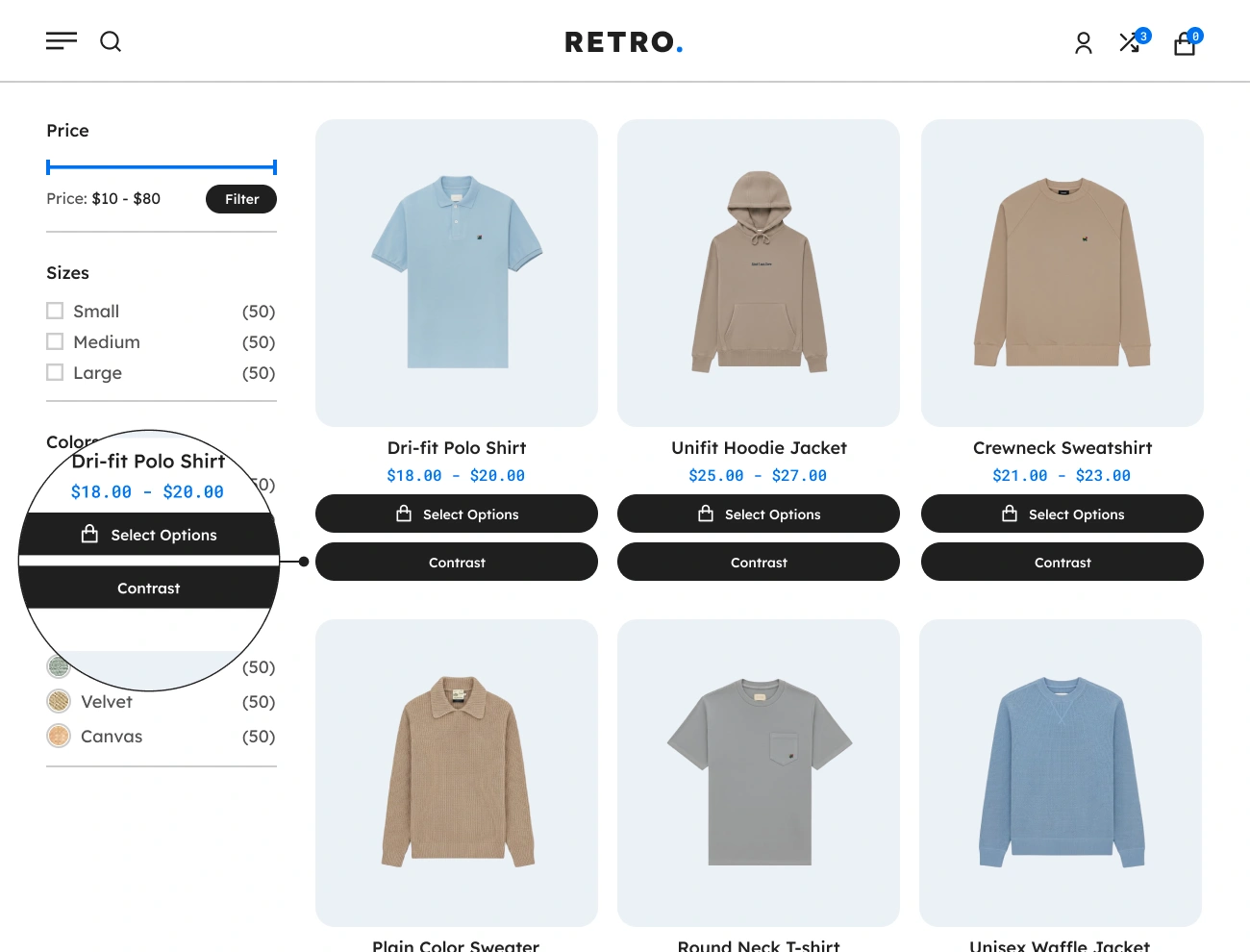
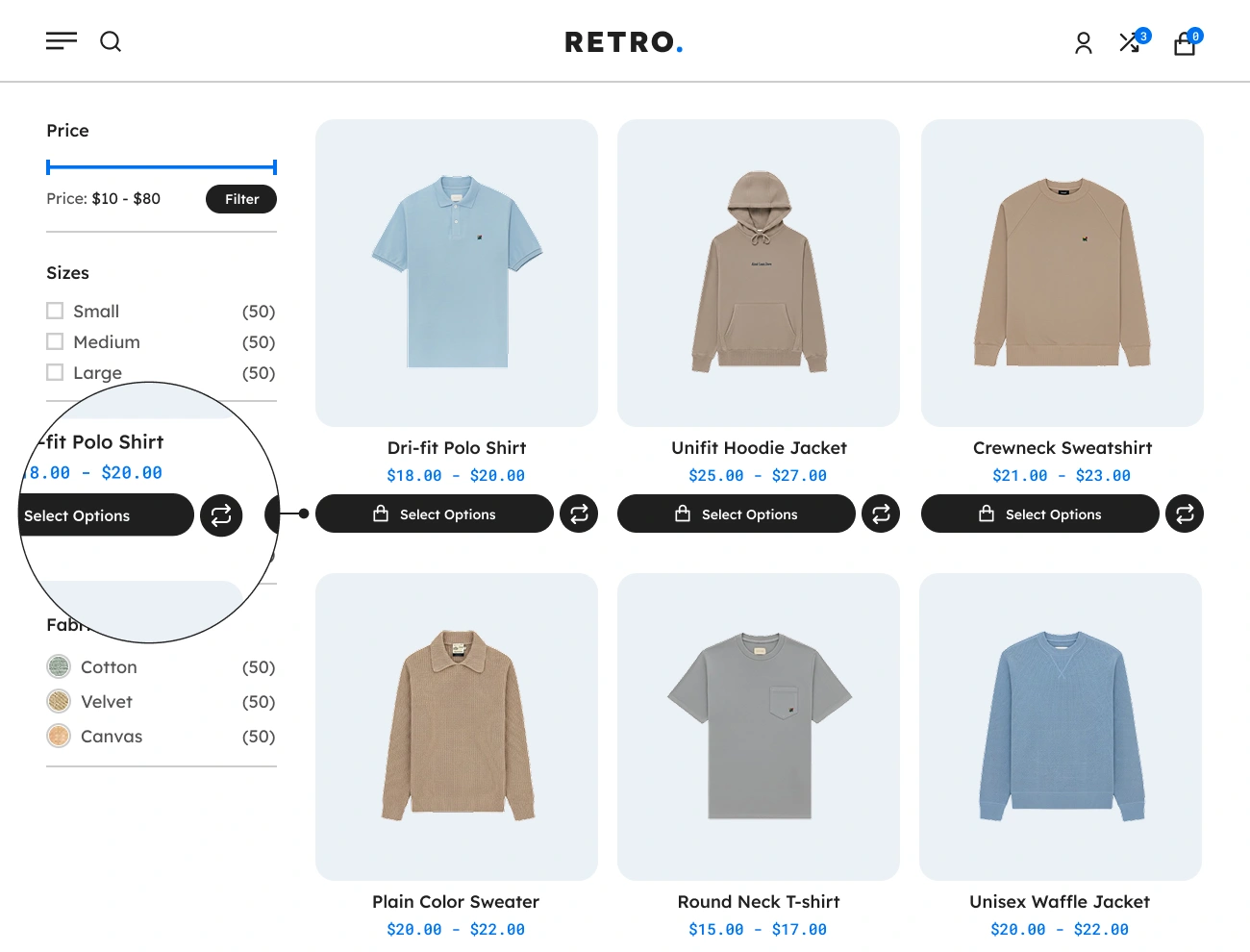
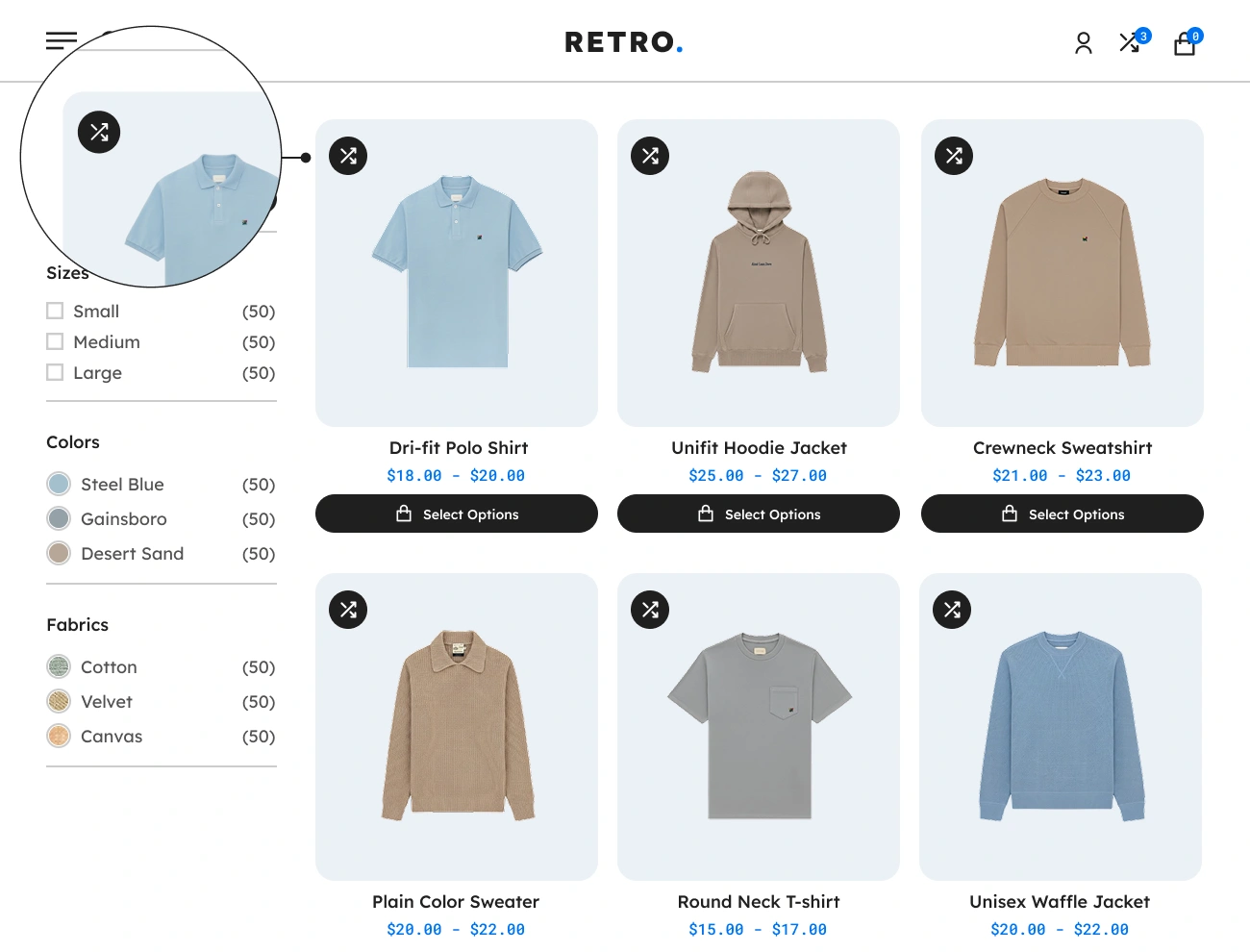
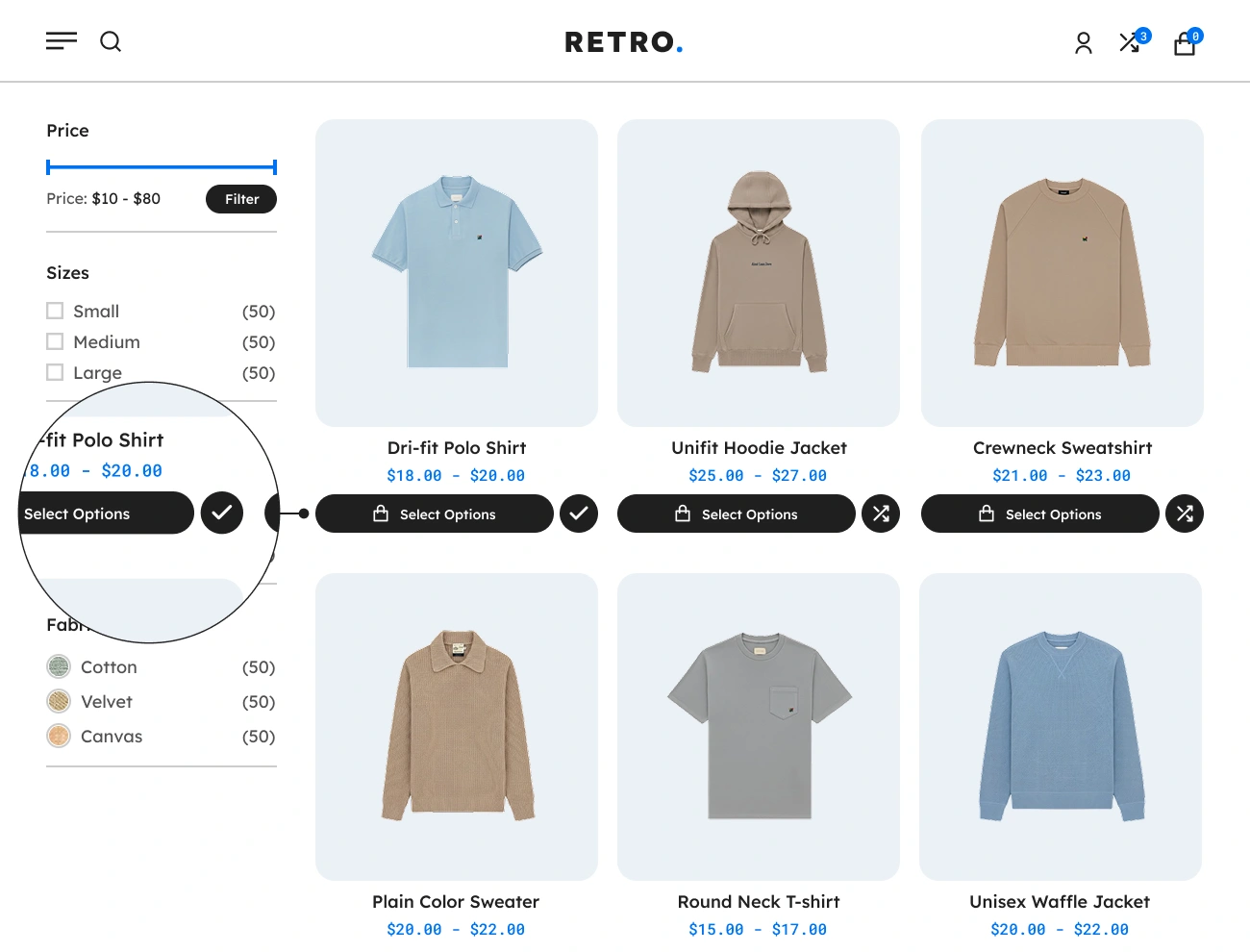
One of the convenient features of Handy Compare Products for WooCommerce is that it also allows you to display the “Compare” button for each product on the shop page or product archive page. This will allow website visitors or customers to add a certain product to the comparison table without leaving the shop page or going to the product’s single page.

Handy Compare Products For WooCommerce Customizable Compare Button Type

Customizable Compare Button Type

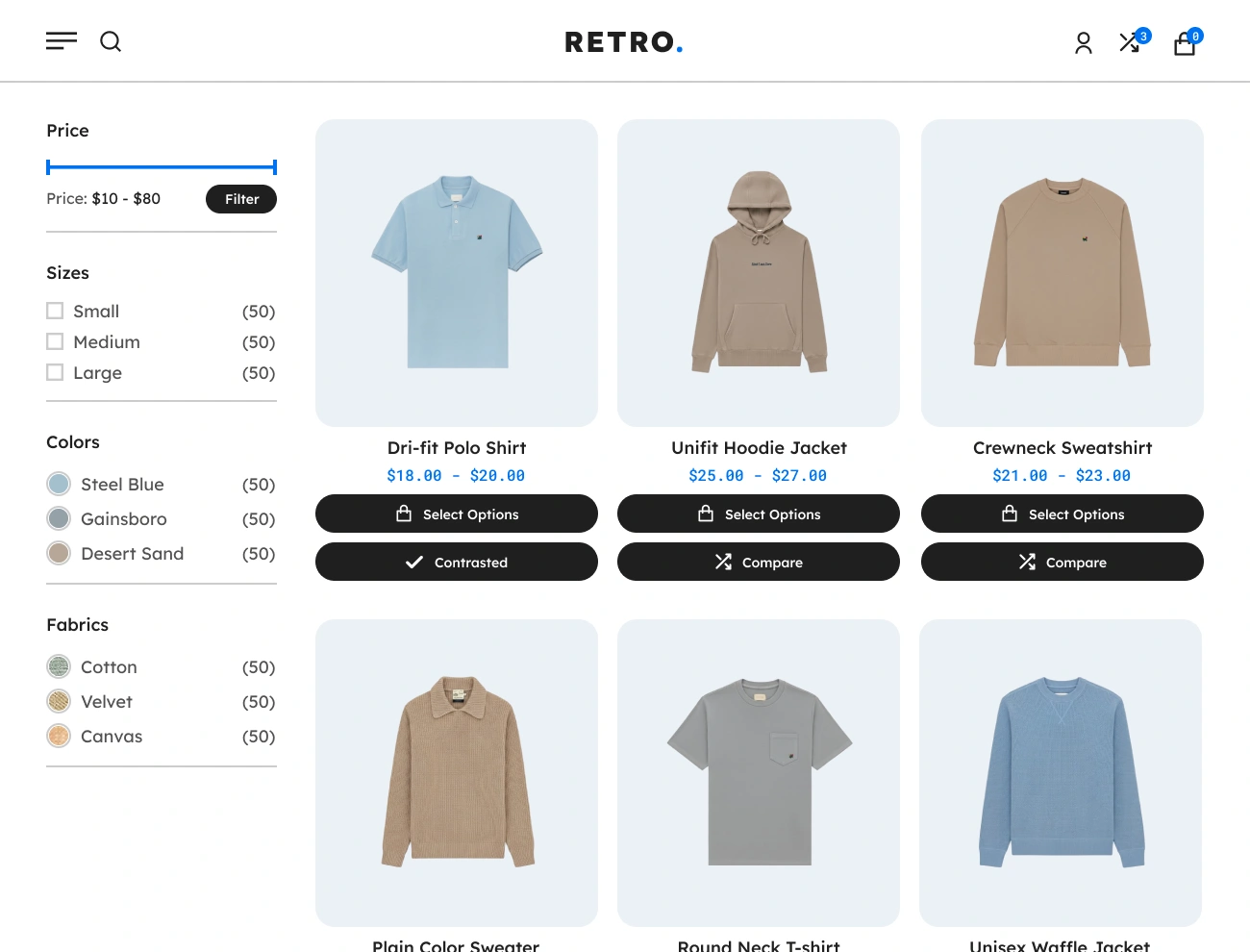
This plugin comes with a feature that allows you to select a type of “Compare” button. You can choose from the following three “Compare” button types: text, icon, and text + icon. This option is very simple but powerful since it will improve the appearance of the “Compare” button on your WooCommerce website.

Handy Compare Products For WooCommerce Customizable Compare Button Label

Customizable Compare Button Label

This plugin also allows you to customize the label of the “Compare” button. This will allow you to localize or change the default label of the “Compare” button and replace it with a more appropriate label based on your needs. This will improve the readability of the “Compare” button on your website.

Handy Compare Products For WooCommerce Customizable Compare Button Icon

Customizable Compare Button Icon

This plugin comes with a feature that allows you to customize or select an icon to be displayed in the “Compare” button from a defined set of icons. This will allow you to enhance the appearance of the “Compare” button based on your preferences. This option will help your website visitors easily point out or recognize the “Compare” button.

Handy Compare Products For WooCommerce Customizable Compare Button Loader

Customizable Compare Button Loader

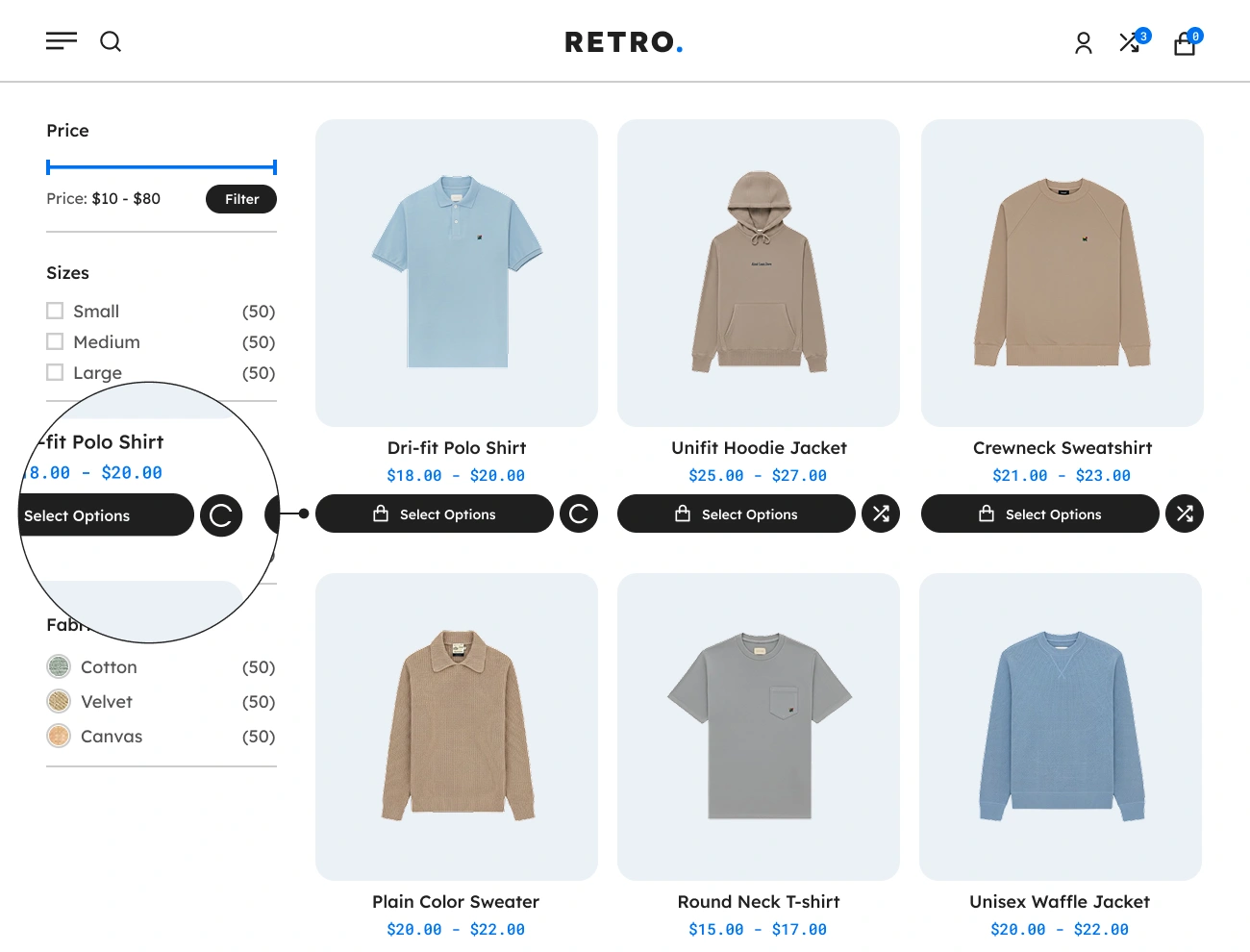
This plugin also allows you to customize or select a loader to be displayed in the “Compare” button from the defined set of loaders. This will allow website visitors to recognize the “Compare” button if it is processing an event. This option will improve the user experience of website visitors when adding products to the comparison table.

Handy Compare Products For WooCommerce Customizable Compare Button Style

Customizable Compare Button Style

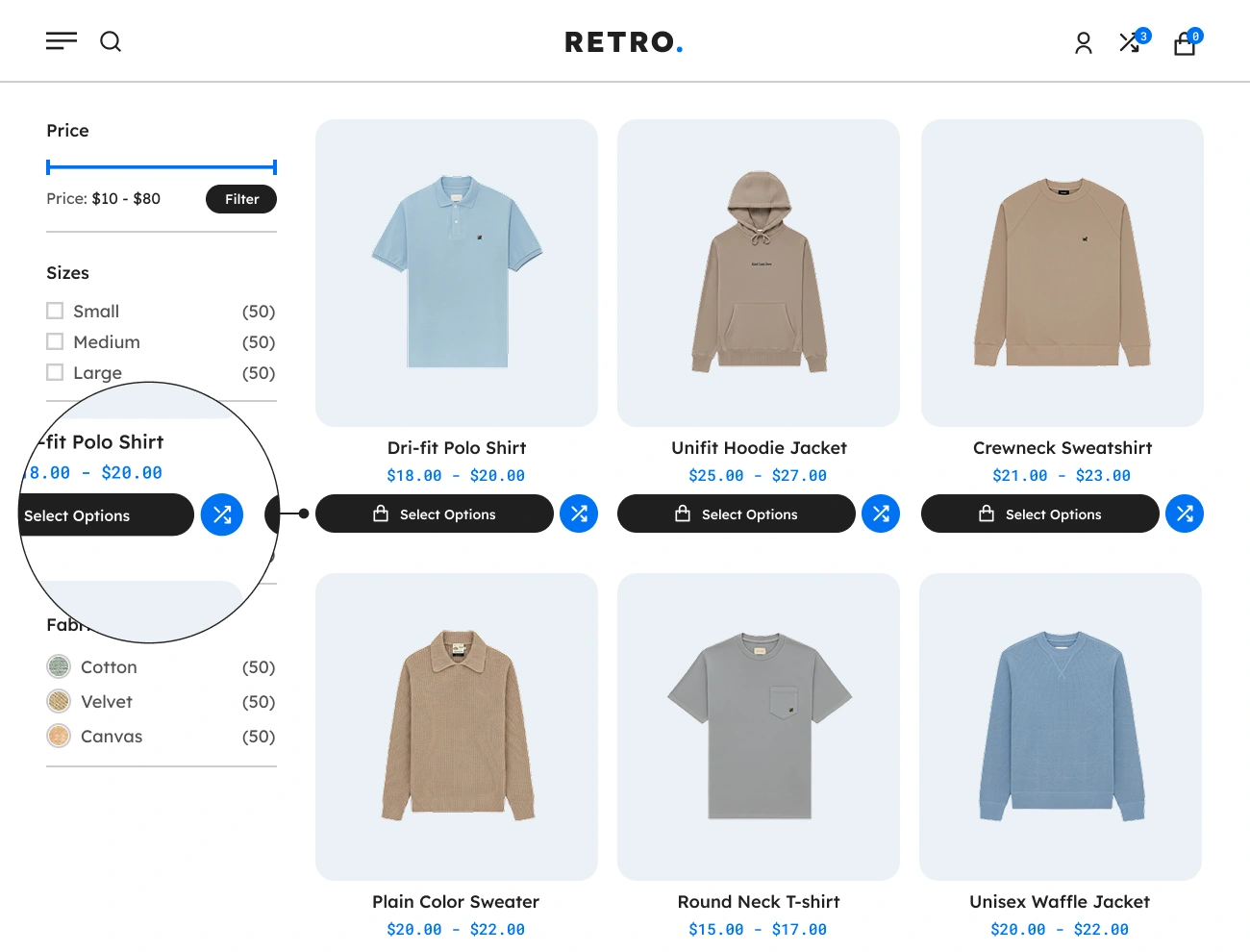
This plugin comes with a feature that allows you to fully customize the appearance or style of the “Compare” button. This will give you a chance to fully design the appearance of the “Compare” button, including the width, height, padding, font, text color, background color, border, radius, etc. This option will help you align the appearance of the “Compare” button with your website’s appearance.

Handy Compare Products For WooCommerce Customizable Compare Button Position In Product Single Page

Customizable Compare Button Position In Product Single Page

This plugin also allows you to change the position of the “Compare” button on the product single page. There are 7 different positions you can pick: before product title, after product title, after product price, after product meta, before add to cart button, and manually position using shortcode. This option will help you position the “Compare” button based on your preference.

Handy Compare Products For WooCommerce Customizable Compare Button Position In Shop Page

Customizable Compare Button Position In Shop Page

This plugin comes with a feature that allows you to modify the position of the “Compare” button in each product on the shop page or product archive page. You can choose from the following three positions: before add to cart button, after add to cart button, and manually position using shortcode. This option is very simple but powerful since it will improve the appearance of your website, particularly in the product loop thumbnail area.

Handy Compare Products For WooCommerce Supports Compare Button Shortcode For Product Single Page

Supports Compare Button Shortcode For Product Single Page

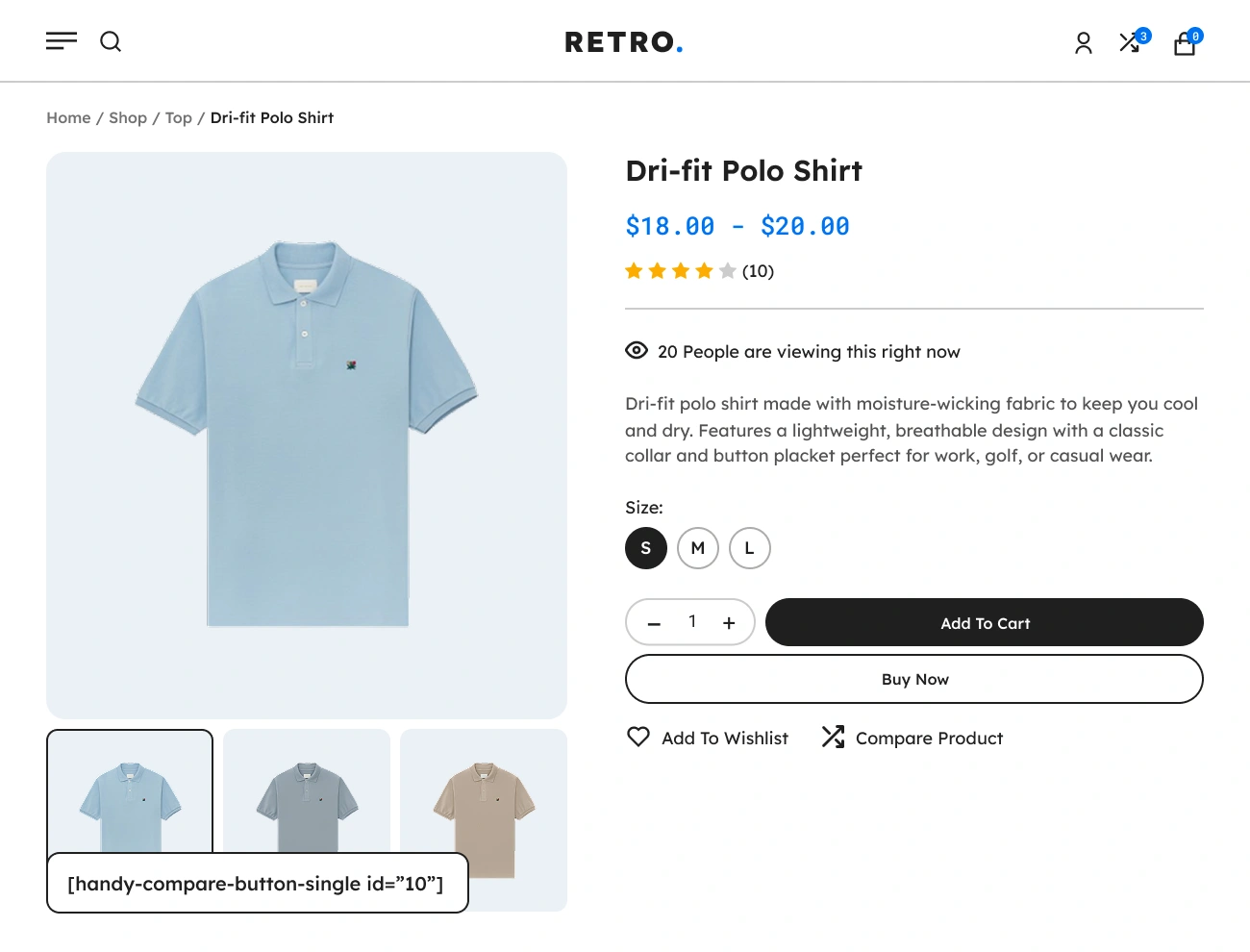
This plugin also provides a shortcode that you can use to manually display a “Compare” button for the product on a product single page or product thumbnail. Here’s the full syntax of the shortcode: [handy-compare-button-single id=”product_id”]. Note: For the shortcode parameter, don’t forget to provide the ID of the target product.

Handy Compare Products For WooCommerce Supports Compare Button Shortcode For Shop Page

Supports Compare Button Shortcode For Shop Page

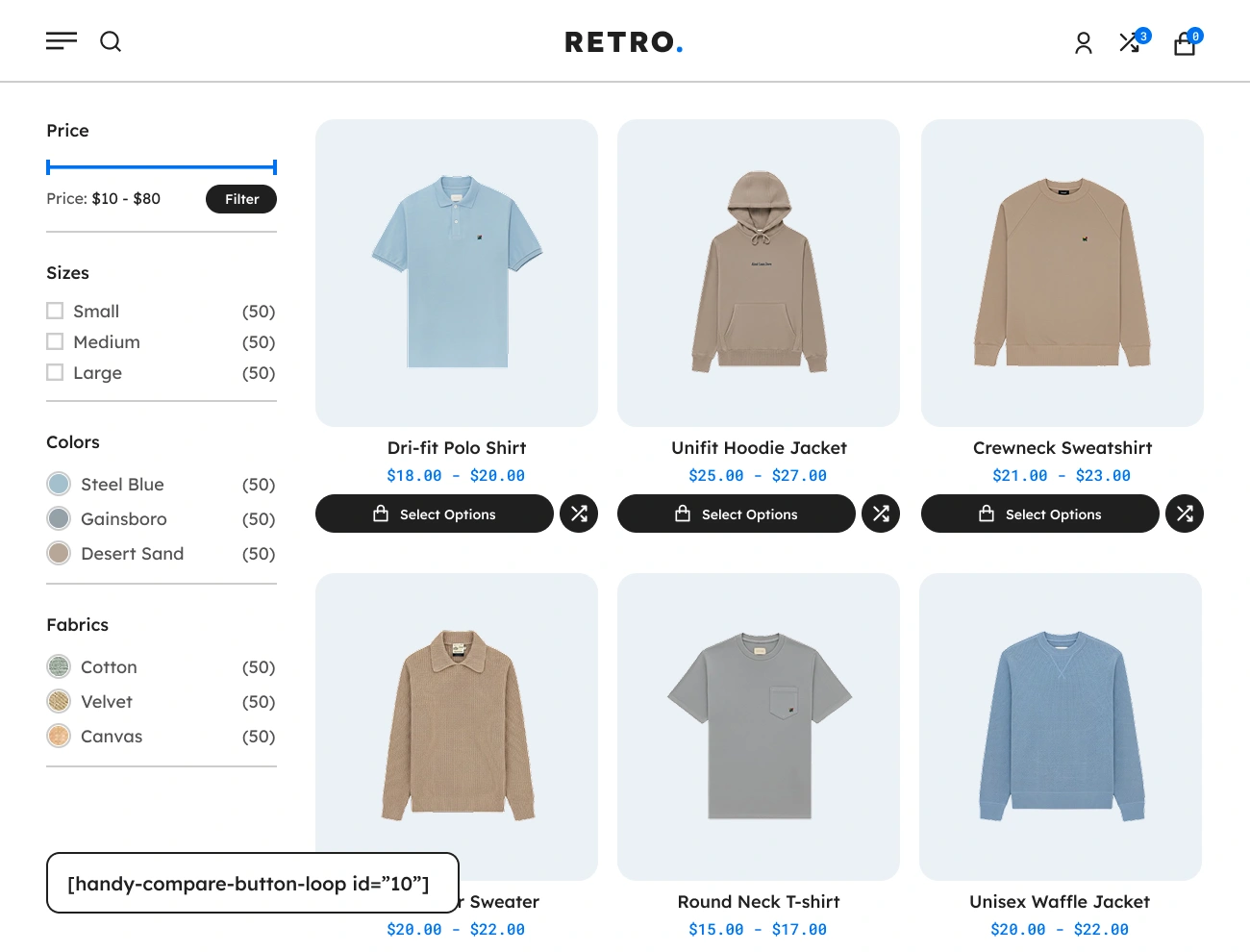
This plugin comes with a shortcode that you can use to manually add a “Compare” button to a certain product, exclusive only to the shop page or product loop thumbnail. Here’s the shortcode you can use: [handy-compare-button-loop id=”product_id”]. Note: Do not forget to provide the product’s ID in the shortcode id parameter in order to use it.

Handy Compare Products For WooCommerce Display Compared On Compare Button After A Product Is Added To Comparison Table

Display Compared On Compare Button After A Product Is Added To Comparison Table

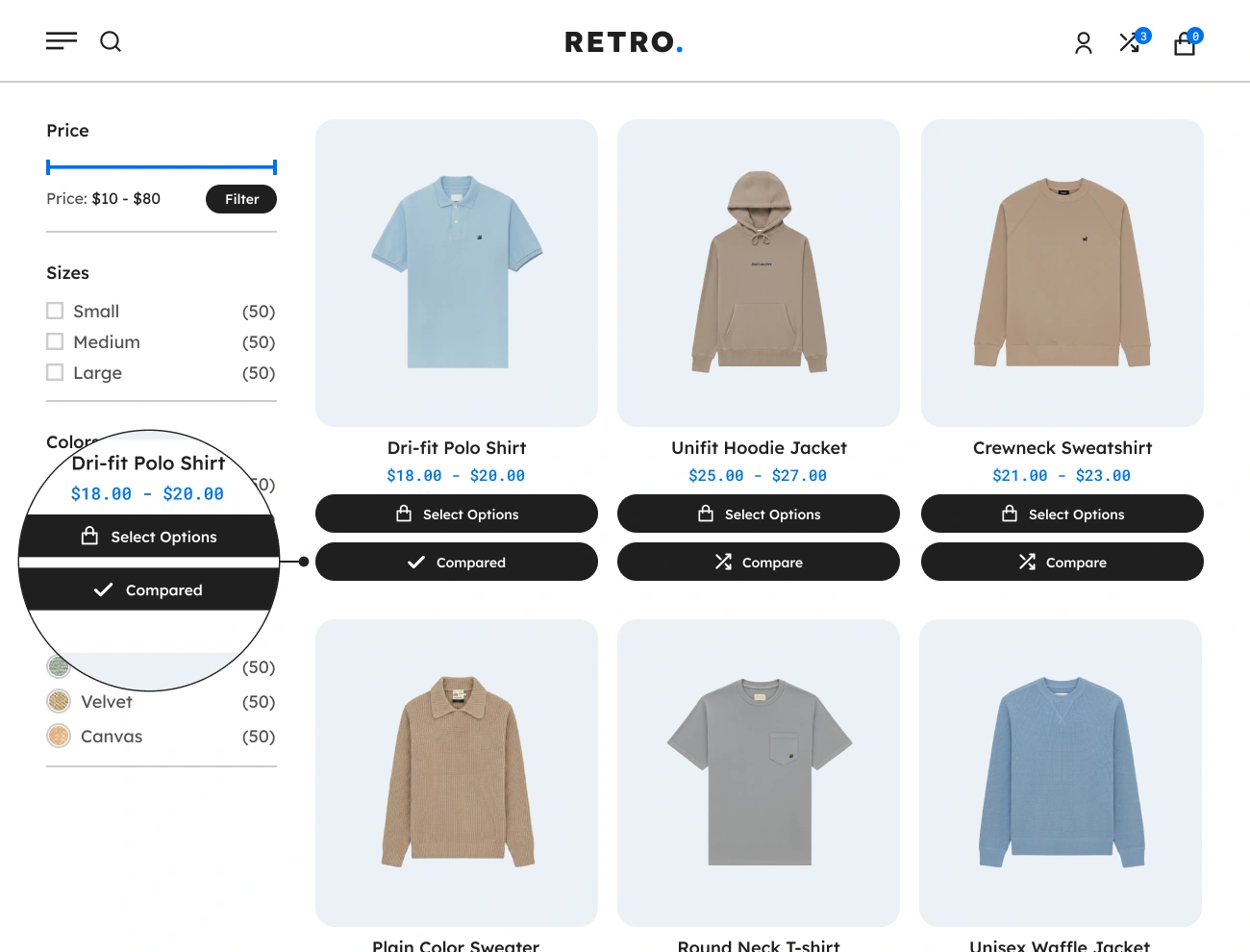
This plugin also allows you to change the current label of the “Compare” button to “Compared” after a product is successfully added to the comparison table. This will enable visitors to the website to identify whether the product they are attempting to add to the comparison table was added successfully. This feature will help website visitors avoid adding the same product multiple times.

Handy Compare Products For WooCommerce Customizable Compared Button Label

Customizable Compared Button Label

This plugin comes with a feature that allows you to alter the label of the “Compared” label of the “Compare” button. This will allow you to localize or change the default label “Compared” of the “Compare” button and replace it with a more appropriate label based on your needs. This will make your website’s “Compare” button easier to understand.

Handy Compare Products For WooCommerce Customizable Compared Button Icon

Customizable Compared Button Icon

This plugin also allows you to change the icon that describes the “Compared” label in the “Compare” button. This will enable the website owner to choose an appropriate icon that they think is suited for the “Compared” label. This feature will help website visitors easily recognize if the product has already been added to the comparison table.

Handy Compare Products For WooCommerce Supports Comparison Table

Supports Comparison Table

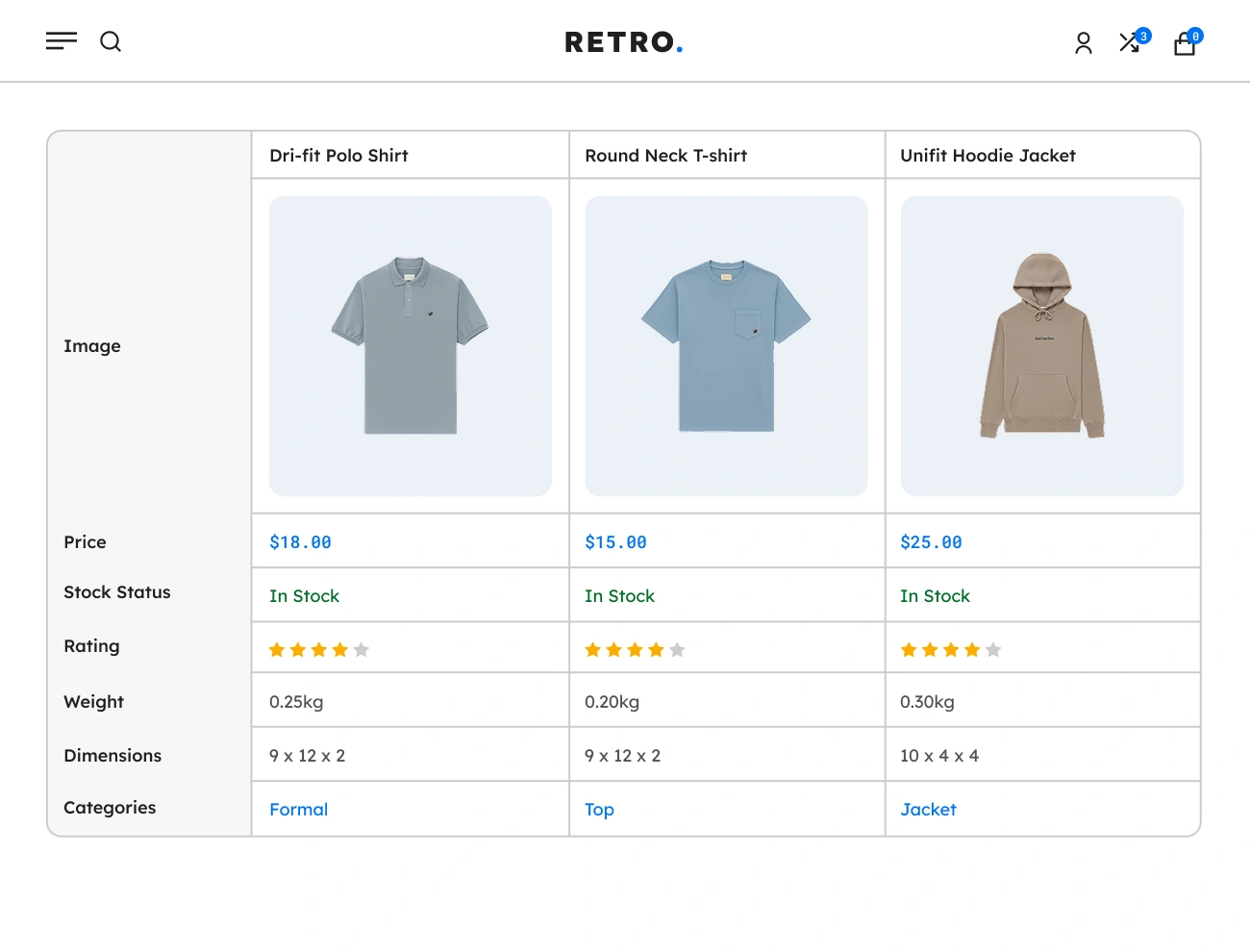
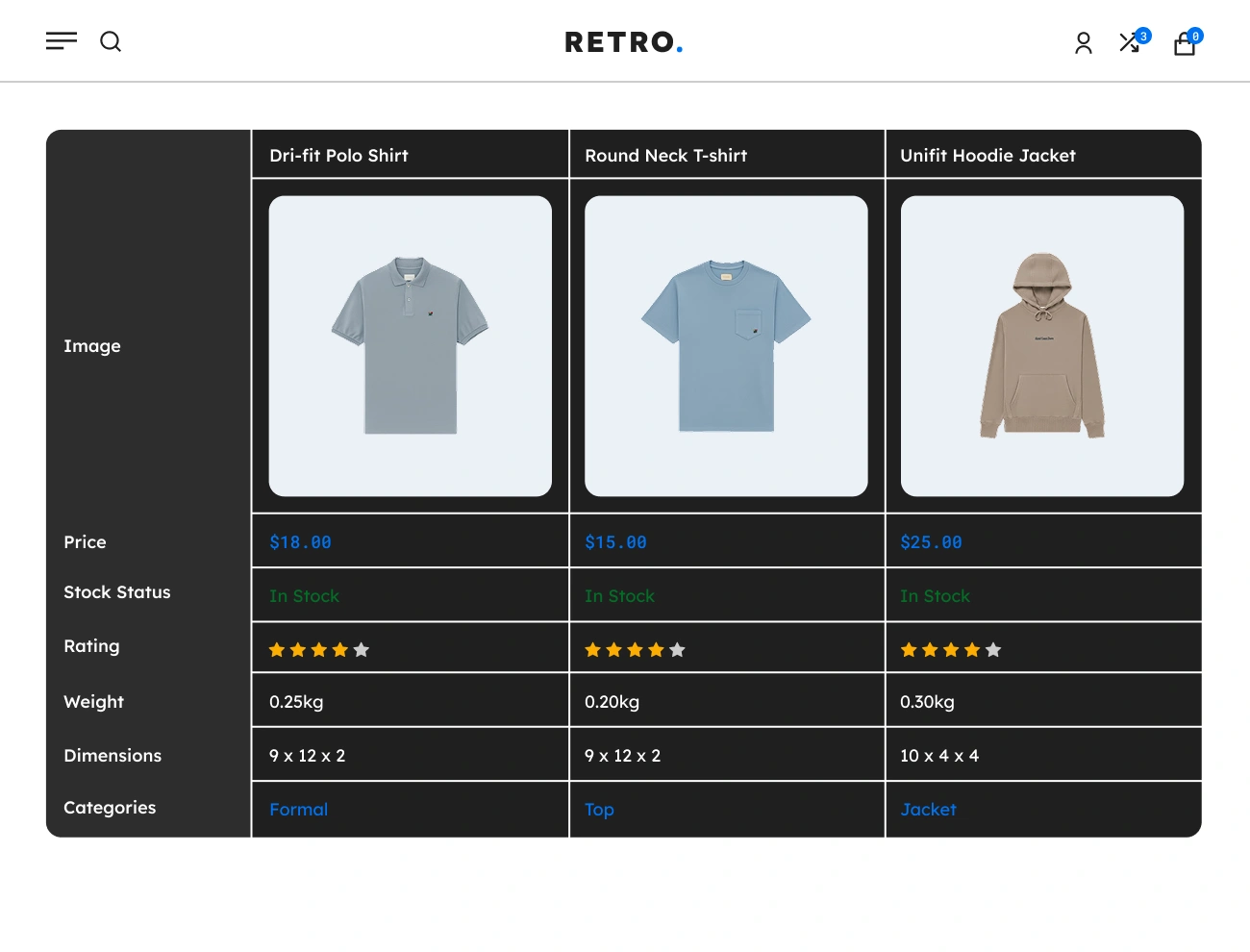
One of the key components of Handy Compare Products for WooCommerce that is being provided is the Comparison Table. This component will help your website visitors or customers visually compare different products with almost similar features. In order to display the Comparison Table on your website, you just need to use the [handy-compare-table] shortcode.

Handy Compare Products For WooCommerce Customizable Comparison Table Style

Customizable Comparison Table Style

This plugin comes with a feature that allows you to fully customize the appearance or style of the Comparison Table. This will give you a chance to fully design the appearance of the Comparison Table, including the width, height, padding, font, text color, background color, border, etc. This option will help you align the appearance of the Comparison Table with your website’s looks.

Handy Compare Products For WooCommerce Customizable Comparison Table Product Details Order

Customizable Comparison Table Product Details Order

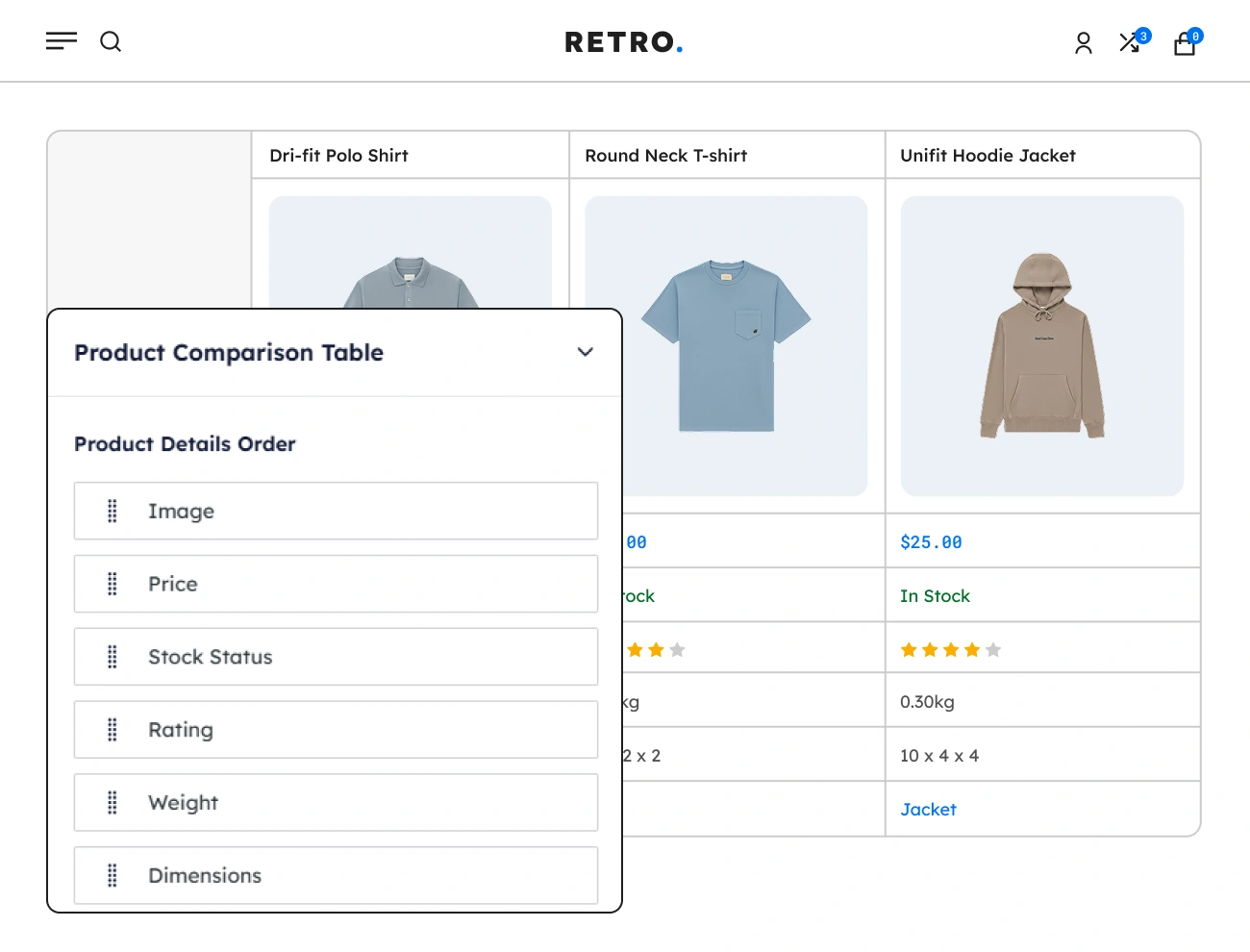
This plugin also allows you to rearrange the sequence of product details to be shown in the Comparison Table. This will allow you to fully control the sequence of product details that will be shown based on your preferences by dragging and dropping. Having this option is a huge advantage since you can control the arrangement of the product details that you think is the best way to show them to your target customers.

Handy Compare Products For WooCommerce Supports Comparison Table Individual Product Deletion

Supports Comparison Table Individual Product Deletion

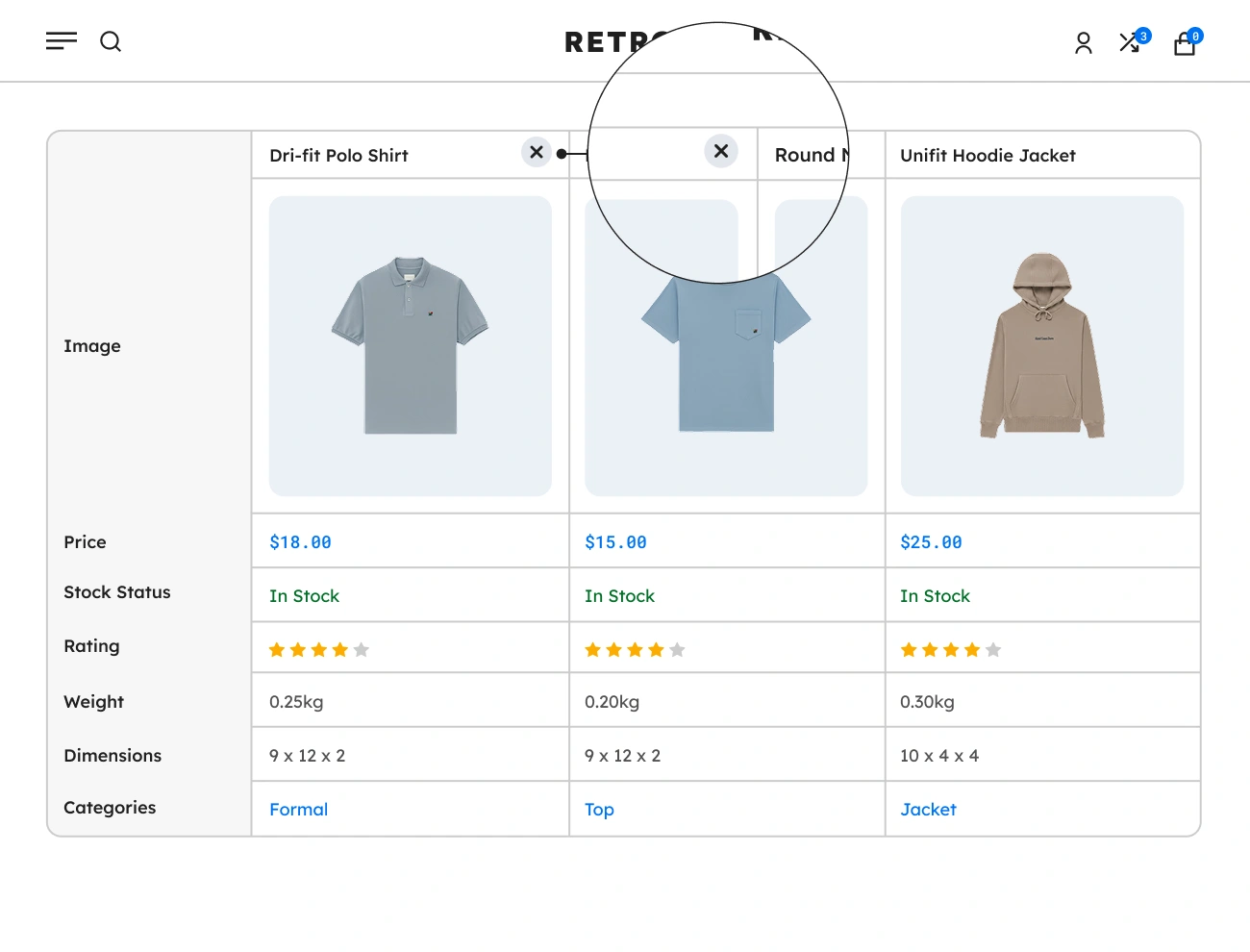
This plugin comes with a feature that allows website visitors or customers to delete a certain product from the Comparison Table. This will give your customers the ability to remove or delete products from the Comparison Table that are unwanted and unnecessary. This option will help your customers manage the Comparison Table.

Handy Compare Products For WooCommerce Supports Comparison Table Individual Product Add To Cart

Supports Comparison Table Individual Product Add To Cart

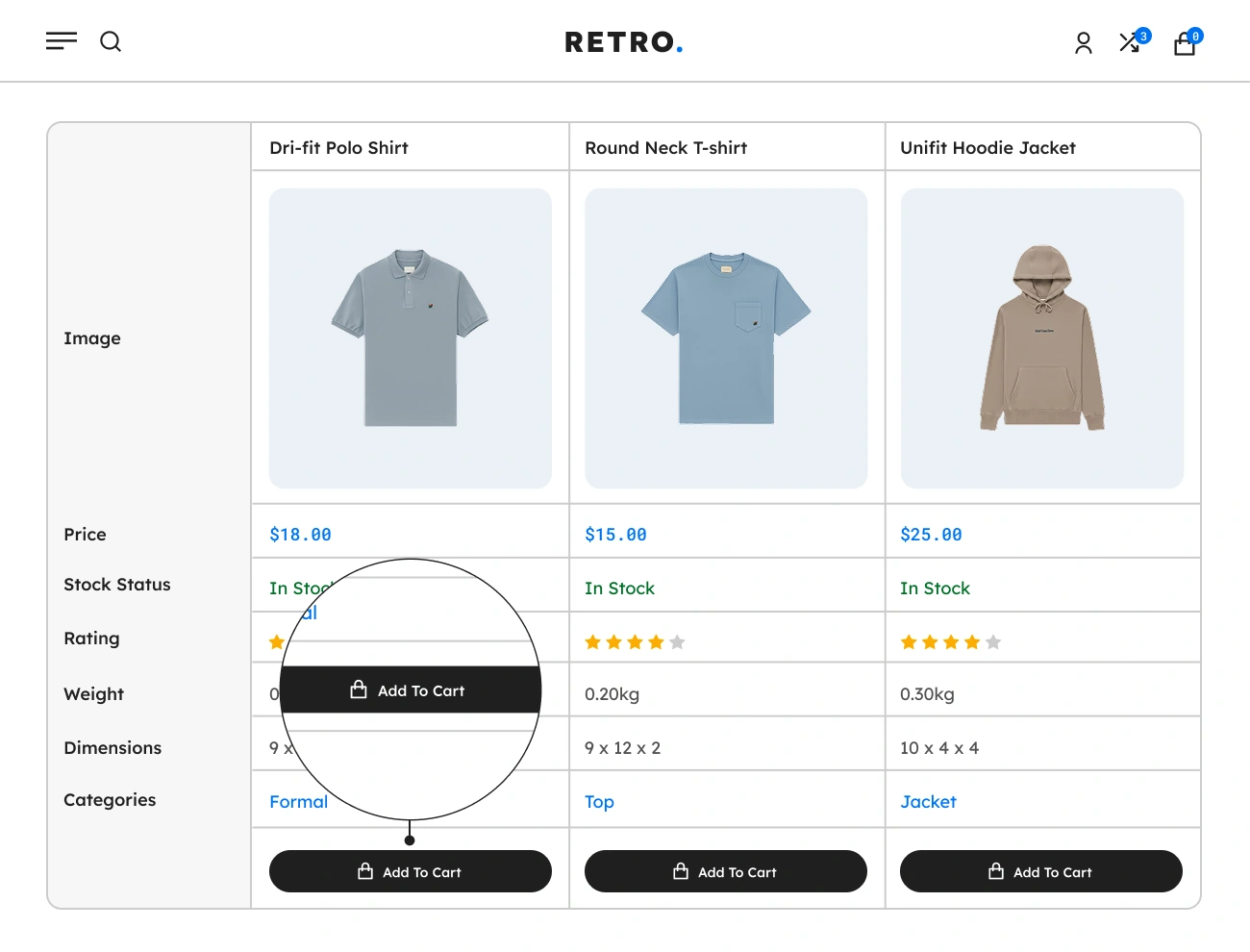
This plugin also provides an “Add to Cart” button in the Comparison Table that allows website visitors or customers to add a certain product from the Comparison Table to their cart without leaving the Comparison Table. Since it will be easier for customers to add products from the Comparison Table to their carts, this option will increase the conversion rate of sales.

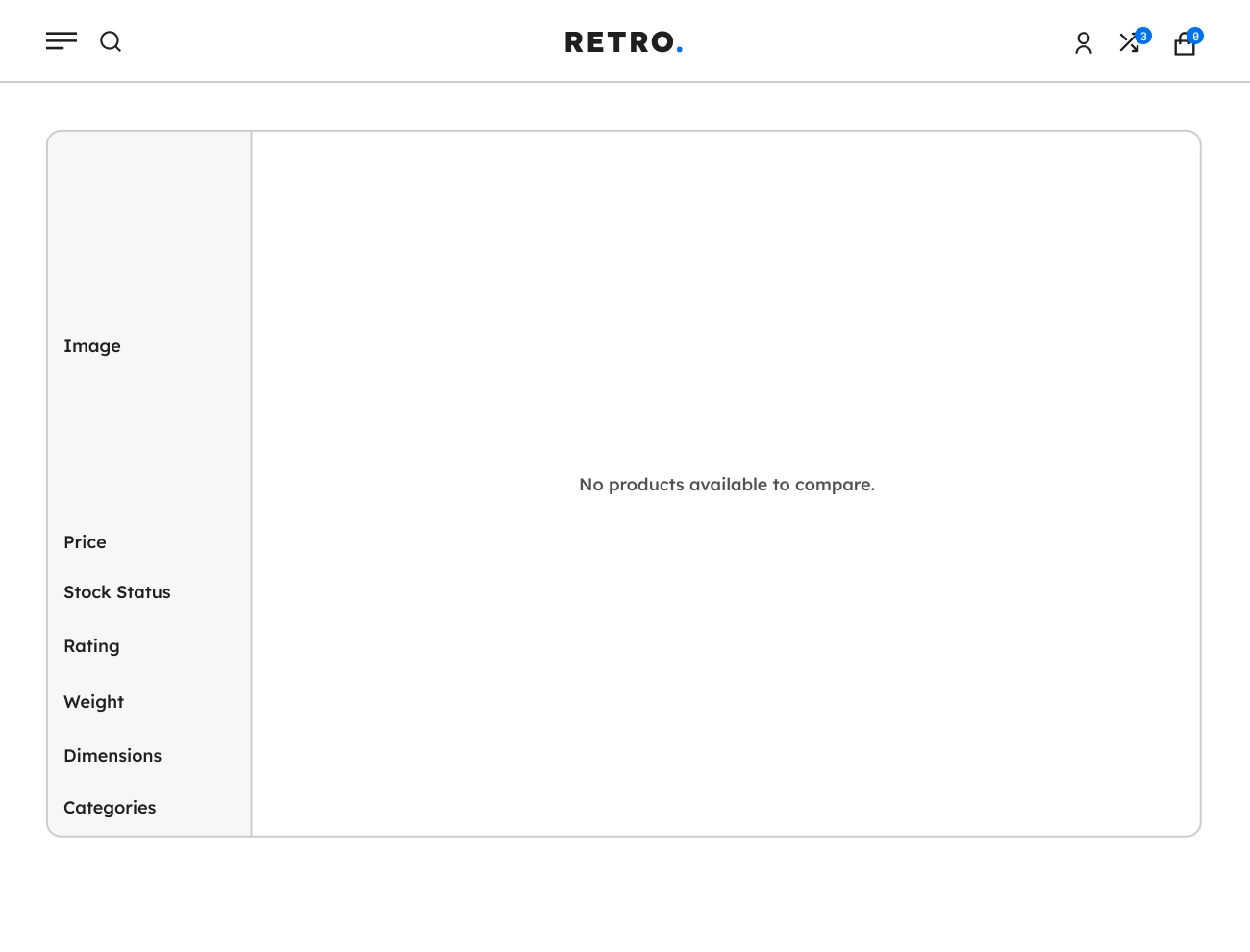
Handy Compare Products For WooCommerce Supports Comparison Table Empty Placeholder

Supports Comparison Table Empty Placeholder

The Comparison Table Empty Placeholder is one of the components of Handy Compare Products for WooCommerce. This will allow you to display a placeholder or message in the Comparison Table when it is empty. Having this feature will help website visitors or customers indicate if the Comparison Table is empty.